
How to Fill In a Lean Canvas, Box by Box
The nine boxes of Ash Maurya's Lean Canvas, the order to fill them in, how it differs from the Business Model Canvas, and the mistakes that make a canvas useless.
· 6 min read
Most first business plans die in a folder. They take three weeks to write, run to 40 pages, and are out of date the first time a customer says "I would never pay for that". The Lean Canvas fits the same thinking on one page that takes about 20 minutes to fill in and about 2 minutes to change. That speed is the point: you are supposed to rewrite it every time you learn something.
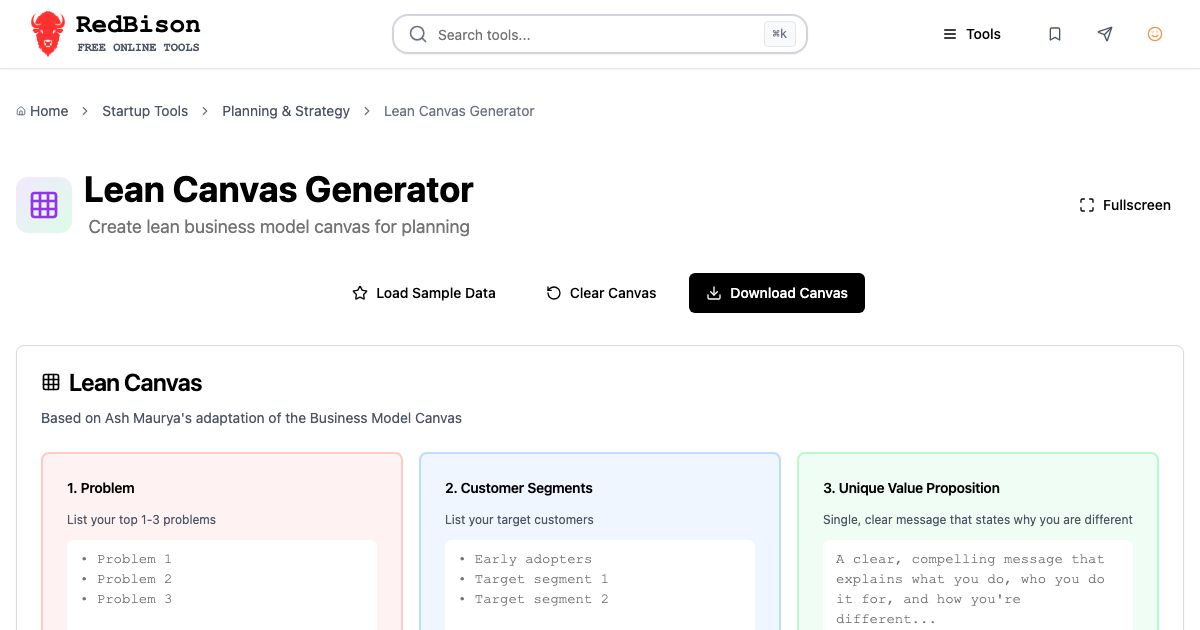
This guide explains where the canvas came from, what goes in each of the nine boxes, the order to fill them in, and the mistakes that turn a canvas into decoration. You can follow along in the Lean Canvas Generator.
Where the Lean Canvas came from
In 2010 Ash Maurya adapted Alexander Osterwalder's Business Model Canvas for early-stage startups and called the result the Lean Canvas. He later built a whole method around it in his book Running Lean.
Osterwalder's canvas was designed to describe a business that already works: who you partner with, what resources you own, which activities you run. Maurya's argument was that a startup does not know most of that yet. What it needs to pin down is the riskiest stuff: whether the problem is real, whether the solution solves it and how it will know. So he swapped four boxes.
| Business Model Canvas | Lean Canvas | Why the change |
|---|---|---|
| Key Partners | Problem | Partners rarely matter before the problem is proven |
| Key Activities | Solution | The solution is what you actually test first |
| Key Resources | Unfair Advantage | Resources can be bought; an unfair advantage cannot |
| Customer Relationships | Key Metrics | Early teams need numbers that show learning |
| Value Propositions | Unique Value Proposition | Kept, sharpened to one clear message |
| Customer Segments, Channels, Revenue Streams, Cost Structure | Same | Kept as they are |
The result is nine boxes. Five of them describe the product and market, and four describe the business around it.
The nine boxes, in the order to fill them
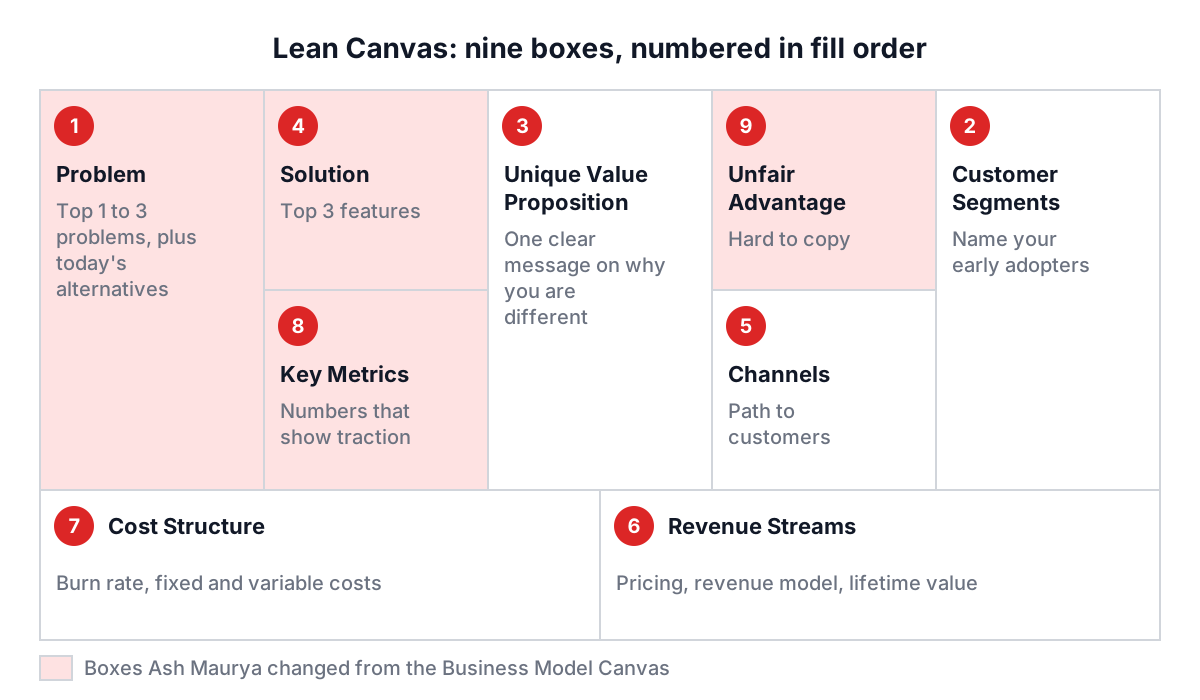
The Lean Canvas Generator numbers the boxes in a deliberate order, starting with the customer and ending with the hardest box.
- Problem. The top one to three problems your customer has. Also note how they solve it today, since that existing alternative is your real competition.
- Customer Segments. Who has the problem. Name your early adopters separately: the narrow group that feels the pain most and will try something rough.
- Unique Value Proposition. One clear sentence on why you are different and worth attention. A useful test: could a stranger repeat it after reading it once?
- Solution. The top one to three features that address the top problems. Not the roadmap, just the minimum.
- Channels. How you reach customers. Early on, list the channels you can use this month (direct outreach, a community you belong to), not the ones you hope to afford later.
- Revenue Streams. How you get paid, with real prices.
- Cost Structure. What it costs to run, including the burn rate until you break even.
- Key Metrics. The few numbers that show the business is working. For SaaS this is usually acquisition, activation, retention and revenue.
- Unfair Advantage. Something that cannot be easily copied or bought: insider knowledge, an existing audience, a network effect, a team nobody else can assemble. Leaving it blank on day one is honest.
A worked example
Click Load Sample Data in the generator and it fills in a cloud inventory tool for small businesses. A trimmed version reads like this:
1. Problem             Manual stock tracking causes stockouts and overstock;
                       existing tools are too complex or expensive
2. Customer Segments   Small retailers with 10-100 SKUs, cafes, multi-channel sellers
3. UVP                 Inventory management a small business can set up in
                       under 30 minutes, no technical expertise required
4. Solution            Barcode scanning, real-time stock levels, reorder alerts
5. Channels            Website, trade shows, accounting software partners
6. Revenue Streams     $49 to $199 per month subscriptions, $299 onboarding
7. Cost Structure      Development 40%, hosting 25%, sales 20%, support 10%
8. Key Metrics         MRR, CAC, CLV, monthly active users
9. Unfair Advantage    Deep SMB relationships, supplier partnerships
Read it critically, the way an investor would. The UVP is good: it is specific (30 minutes) and names the buyer. The metrics are standard but say nothing about whether stockouts actually fall, so adding "stockouts per month per customer" would test the core promise. The unfair advantage lists a "proprietary AI algorithm" in the full sample, which is exactly the kind of claim to be suspicious of, as the mistakes section explains. Revenue and cost need numbers that connect: plug the $49 to $199 price into an LTV:CAC calculator and check whether a sensible customer acquisition cost still leaves a margin.
As you type, the Canvas Completion Status row turns each box green and counts "Completed: 7 / 9 sections". Everything saves to your browser automatically, so you can come back later. Download Canvas saves the whole thing as a Markdown file, lean-canvas.md, which pastes cleanly into a wiki, a pull request or a Notion page. Clear Canvas resets all nine boxes, and Fullscreen gives you the whole screen when you are presenting it to the team.
Common mistakes
- Starting with the solution. If box 4 is the first thing you write, the problem box ends up reverse-engineered to justify it. Fill boxes 1 and 2 first and see whether the solution still makes sense.
- A UVP that is a feature list. "AI-powered dashboard with integrations" describes a product, not a reason to care. Rewrite it as the outcome the customer gets.
- An unfair advantage that is not unfair. Passion, a good team, first-mover status and "better UX" can all be copied. A patent pending or a proprietary algorithm usually can be too, given enough money. If you cannot think of a real one yet, write "none yet" and keep looking.
- Vanity metrics. Page views and sign-ups feel good but rarely predict revenue. Pick metrics that move only when customers get value.
- One canvas for every segment. A cafe and an e-commerce seller have different problems and channels. When the boxes start to contradict each other, make a second canvas.
- Never updating it. A canvas that still matches what you wrote three months ago means you have not learned anything, or you have not written it down.
Where the canvas fits with other tools
The canvas is a summary, so several boxes lean on deeper work. Size the market behind your Customer Segments with the TAM calculator, map the existing alternatives from box 1 with a competitor analysis, and stress-test the whole page with a SWOT analysis. Once a canvas points at a specific solution worth testing, a Design Sprint is a natural next step; the Design Sprint guide covers how to run one.
Open the generator, set a 20-minute timer, and fill in boxes 1 to 4 without stopping to polish. Then show the page to one person who matches your customer segment and ask which line they disagree with. The box they point at is the one to work on this week.