
Placeholder Text and Images: Lorem Ipsum, Dummy Images and Their Pitfalls
Where lorem ipsum comes from, how much filler to use, why self-generated placeholder images beat hotlinked services, and how to stop dummy content reaching production.
· 7 min read
A product page goes live on a Friday afternoon. By Monday someone has screenshotted the "About the author" box, which still reads "Lorem ipsum dolor sit amet, consectetur adipiscing elit", and posted it with a laughing emoji. Placeholder content is supposed to be temporary, and it is very good at not looking temporary enough.
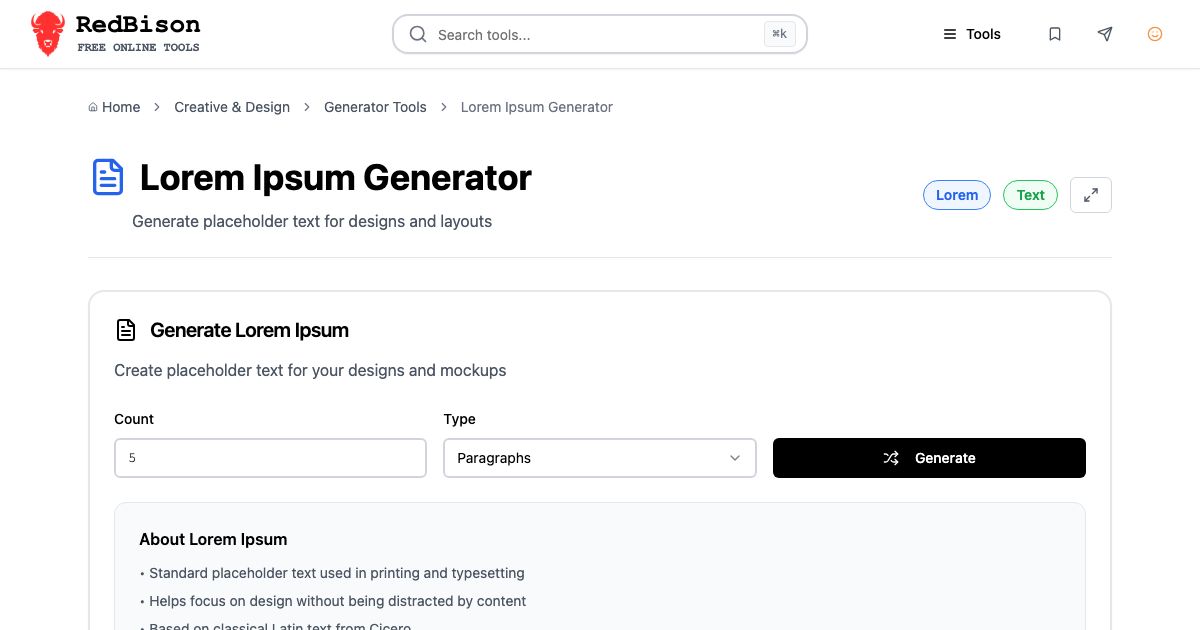
Dummy text and dummy images are still worth using. They let you judge a layout before the real copy and photos exist, and they make test fixtures independent of real data. This guide covers where lorem ipsum comes from and how much of it to use, how to make placeholder images that do not depend on someone else's server, and how to stop either from reaching production. The two tools involved are the Lorem Ipsum Generator and the Placeholder Image Generator.
Lorem ipsum: what it is and why it works
Lorem ipsum is mangled Latin from Cicero's De finibus bonorum et malorum ("On the ends of good and evil"), written in 45 BC. The familiar opening comes from a passage that reads "neque porro quisquam est, qui dolorem ipsum quia dolor sit amet..." ("nor is there anyone who loves pain itself, because it is pain..."). Somewhere along the way "dolorem" was split across a line and the fragment "lorem" became the first word. Richard McClintock, a Latin scholar at Hampden-Sydney College, is credited with tracing the source.
Printers had used scrambled Latin as filler for a long time, but the modern standard passage spread through Letraset dry-transfer sheets in the 1960s and then through desktop publishing software, which shipped it as sample text.
It works because it has roughly the shape of a European language. Words average five or six letters, there is a mix of short and long words, and sentence lengths vary. Paragraph shapes, line breaks and the ragged right edge look like real text, but nobody starts reading it, so reviewers look at type size, line height and spacing instead of the words.
Generating exactly the amount you need
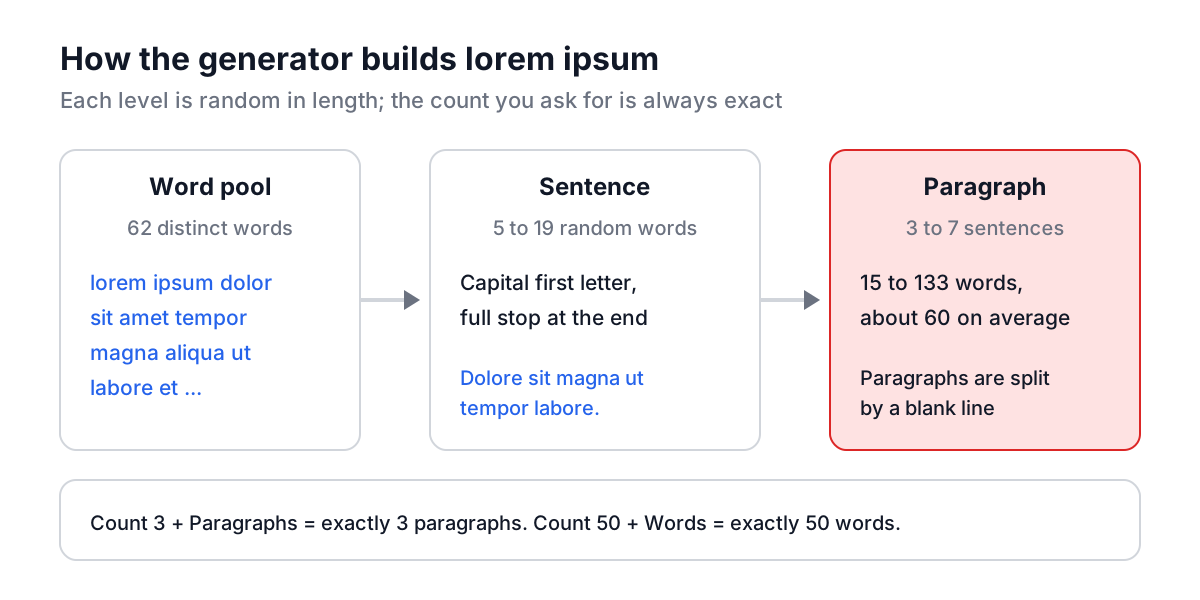
The Lorem Ipsum Generator has three units. Enter a Count, choose Words, Sentences or Paragraphs, and click Generate.
| Type | What you get | Typical use |
|---|---|---|
| Words | Exactly N lowercase words, no punctuation | Field length tests, tag clouds, short labels |
| Sentences | Exactly N sentences of 5 to 19 words each, capitalised with a full stop | Card descriptions, captions, tooltips |
| Paragraphs | Exactly N paragraphs of 3 to 7 sentences, separated by a blank line | Article bodies, CMS templates, email layouts |
Counts run from 1 to 1000. Empty, zero or negative input becomes 1, and the Count field is updated so you can see what was generated. Words are drawn at random from the 62 distinct words of the classic passage, so each click gives a new mix, and the output does not open with the traditional "Lorem ipsum dolor sit amet" sentence. Type that in yourself if a client expects to see it.
Worked example: testing a card's truncation
Say a product card shows a description clamped to three lines with -webkit-line-clamp: 3. You want to see what happens at the limit and well past it.
- Set Count to 25, Type to Words, and Generate. Paste into the card. At 16px on a 320px card that usually fills two to three lines.
- Generate again with Count 60. Now the text must be clamped, and you can check that the ellipsis appears and nothing overflows.
- Switch to Sentences with Count 1. Some sentences are 5 words, some 19, so generate a few times to see both extremes.
Doing the same with real copy takes longer, and you would not think to try the 60-word case until a real product description arrived with one.
When lorem ipsum hides problems
Lorem ipsum is a stand-in for body text. It is a poor stand-in for anything where the length of the words drives the layout.
- Navigation and buttons. "Settings" and "Einstellungen" differ by five characters. Write plausible labels instead.
- Localisation. German and Finnish compound words, French with longer phrases, and right-to-left scripts break layouts that Latin filler sails through. Use pseudo-localisation or real translations.
- Headings. Real headlines are written to fit; random Latin words make headings either too short or absurdly long.
- Content-first design. If the copy is the product, such as pricing tables or onboarding steps, draft rough real copy early. It changes the design.
Placeholder images that do not depend on a server
For years the easy way to get a dummy image was a URL: placehold.it/300x250, lorempixel.com/400/300. They worked until they did not. Both services went away, and every demo page, tutorial, test fixture and Storybook story that pointed at them broke at once. An abandoned domain can also end up with a new owner, so an old placeholder link may one day load something you never chose.
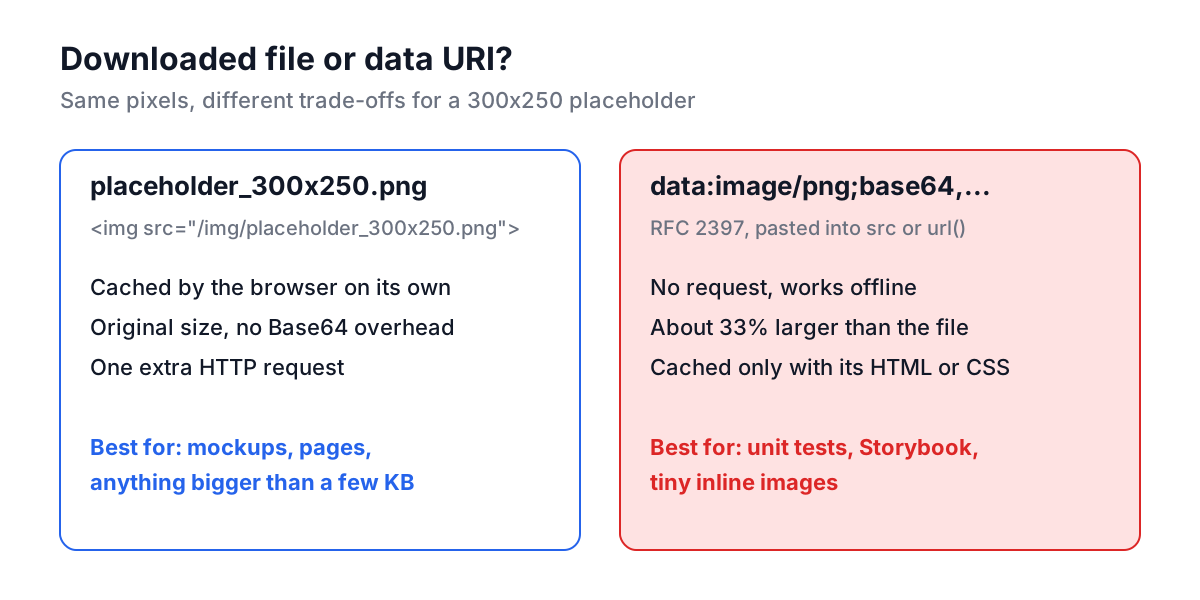
The Placeholder Image Generator draws the image on an HTML canvas in your browser instead. There is no server involved and no URL to break. You get either a downloaded file or a data URI that carries the image inside your HTML.
Worked example: a 300x250 ad slot
- Click the Rectangle preset. Width and Height become 300 and 250.
- Leave the Background Color at #e5e7eb and Text Color at #374151. That pair has a contrast ratio of 8.32:1, so the label stays readable even when the image is scaled down.
- Leave Custom Text empty to print the size, "300×250", in the middle.
- Keep PNG and click Download Image. You get
placeholder_300x250.png, a few kilobytes of flat color.
Drop it into the layout where the ad will go, and you can check spacing, sticky behaviour and mobile breakpoints at the exact IAB size before the real creative arrives.
Width and height are limited to 1 to 2000 pixels, and font size to 8 to 100 pixels. Out-of-range values are clamped, and a note under the preview tells you when the size was limited. The Random Colors button picks a pastel background and only keeps a grey text color if it reaches 4.5:1 against it, falling back to black or white otherwise. The Color Contrast Checker explains what that ratio means if you are choosing colors by hand.
Data URIs: when inline images make sense
Copy Data URL puts the whole image on the clipboard as text:
<img src="data:image/png;base64,iVBORw0KGgoAAAANSUhEUgAAASwAAAD6..." width="300" height="250" alt="Ad slot placeholder">
The format is defined in RFC 2397. The bytes are Base64 encoded, which makes the string about 33% larger than the file (see the Base64 guide for why). That is a good trade for tests and tiny images: no extra request, no network, no CORS. It is a bad trade for large images on real pages, because a data URI cannot be cached separately from the HTML or CSS that contains it.
PNG or JPEG?
PNG, almost always. A placeholder is a flat background with a few letters on it, which is exactly what PNG compresses well, and the edges of the text stay sharp. JPEG is built for photographs. On flat graphics it often produces a larger file and adds faint ringing around the letters. Pick JPEG only when something downstream insists on it; the generator then saves the file with a .jpg extension.
If you later need a real image resized to the same slot, the Image Resizer and Base64 Image Generator handle that side.
Common mistakes
- Shipping the filler. Add a CI step or pre-commit hook that fails on the word "lorem" in templates and content files:
grep -ri "lorem ipsum" src/ templates/. It is crude and it works. - Hotlinking a placeholder service. It adds a third-party dependency to tests and demos, leaks your page views to that service, and breaks when the service changes.
- Giant data URIs in production CSS. A 200 KB image inlined in a stylesheet blocks rendering until the whole stylesheet downloads. Keep data URIs for small assets and tests.
- Using filler for UI labels. Real labels have real lengths. Write plausible copy for buttons, menus and headings.
- Forgetting alt text. Placeholder images in a page still need an
altattribute. An emptyalt=""is right for decorative ones.
A practical setup
Keep the Lorem Ipsum Generator and Placeholder Image Generator open while building a layout, generate both at the sizes the real content will have, and test the extremes: one word, a thousand words, a 1 pixel image, a 2000 pixel one. Then put the grep for "lorem" in your pipeline, so the filler cannot outlive the sprint it was meant for.