
Stopwatches, Countdown Timers and Clocks in the Browser: Why Time Drifts
Why setInterval timers run slow in background tabs, how timestamp-based stopwatches and deadline-based countdowns fix it, and how world clocks get DST right.
· 6 min read
Start a typical web stopwatch, switch to another tab for ten minutes, and come back. On many sites it reads somewhere around 00:10, not 10:00. Nothing crashed. The stopwatch was counting timer ticks, the browser stopped delivering most of them, and every missing tick was lost time.
Browsers are good at telling the time and bad at waking your code up on schedule. This guide covers the difference, using the four time tools on this site: the Online Stopwatch, the Countdown Timer, the World Clock and the Online Clock.
Why setInterval cannot keep time
setInterval(fn, 10) does not mean "run every 10 ms". It means "run no sooner than 10 ms from now, when the browser gets round to it". Several things delay it:
- Clamping. The HTML standard raises nested timers to a minimum of 4 ms.
- A busy main thread. If rendering or another script takes 50 ms, the timer waits 50 ms.
- Background tabs. Browsers throttle timers in hidden tabs to at most once per second.
- Intensive throttling. Since Chrome 88, chained timers in a page that has been hidden for more than five minutes can be limited to once per minute.
- Sleep. A sleeping laptop runs no JavaScript at all.
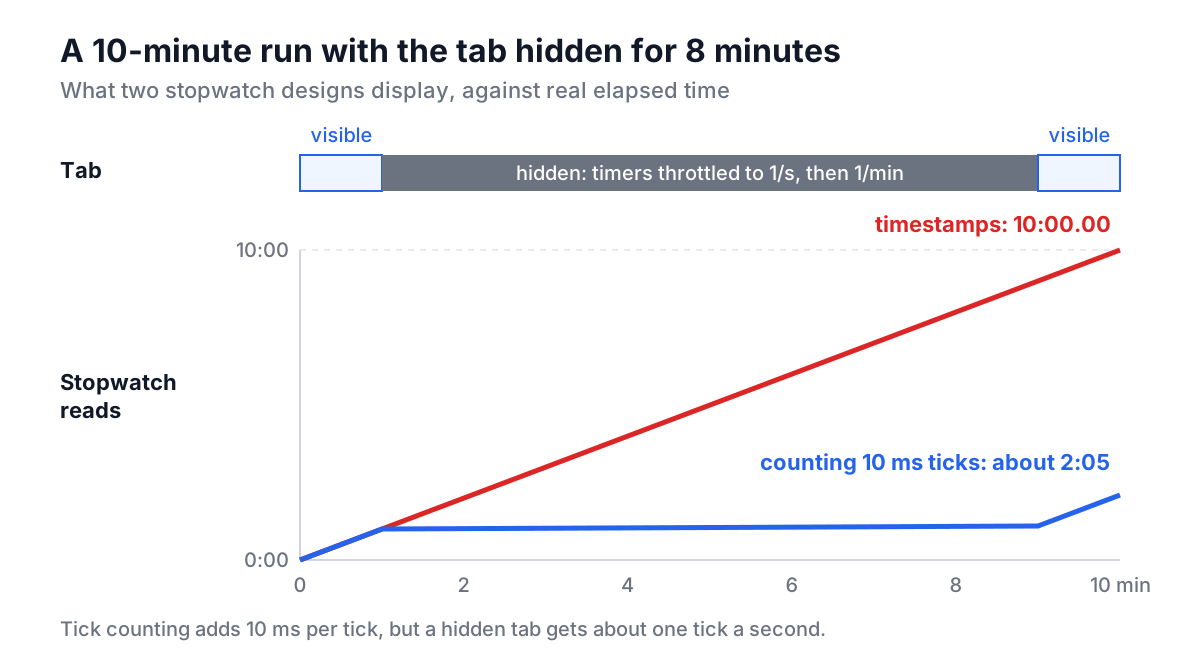
Any code that adds a fixed amount per tick inherits all of those delays as error:
// Wrong: loses time whenever a tick is late or skipped
setInterval(() => { elapsed += 10; render(elapsed); }, 10);
The fix is to let the clock measure time and use the timer only to repaint:
// Right: ticks only trigger a redraw
const start = Date.now();
setInterval(() => render(Date.now() - start), 30);
If the timer fires late, or only once a minute, the next render still shows the correct value. performance.now() is the other common choice; it is monotonic, so a system clock change cannot make it jump, but in some browsers it does not advance while the machine sleeps. For a stopwatch that should include sleep time, Date.now() is the better fit.
The Online Stopwatch: timestamps, not ticks
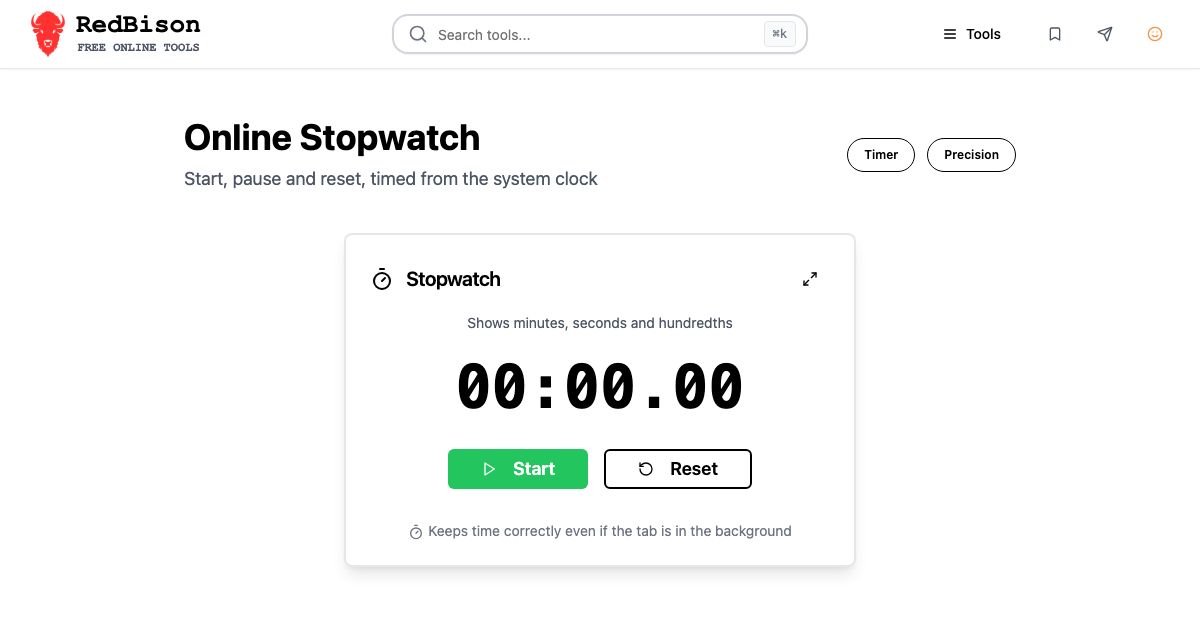
The Online Stopwatch keeps two numbers: time banked from earlier runs, and the timestamp when the current run started. Elapsed time is always banked + (now - startedAt). Pause moves the current run into the bank; Start records a new timestamp.
| Action | Clock | banked | startedAt | Display |
|---|---|---|---|---|
| Start | 1,000 ms | 0 | 1,000 | 00:00.00 |
| Pause | 11,000 ms | 10,000 | none | 00:10.00 |
| (wait) | 50,000 ms | 10,000 | none | 00:10.00 |
| Start | 60,000 ms | 10,000 | 60,000 | 00:10.00 |
| Look | 62,500 ms | 10,000 | 60,000 | 00:12.50 |
An earlier version of this stopwatch used the tick-counting pattern above. It now repaints about 30 times a second, repaints immediately when a hidden tab becomes visible, and is right even if it was not repainted at all in between. The display truncates to hundredths, like a sports stopwatch, and adds hours past 59:59.99, so an hour-long session reads 1:02:03.04 instead of 62:03.04.
Hundredths are display precision, not accuracy. Human reaction time on a button is around 0.2 seconds, so for timing code use performance.now() around the code itself.
The Countdown Timer: count to a deadline
A countdown has the same problem plus one more: it has to fire an alert exactly once. The dependable design stores a deadline instead of a remaining count:
let deadline = Date.now() + 5 * 60_000;      // Start: 5 minutes
function check() {
  const left = Math.max(0, deadline - Date.now());
  render(Math.ceil(left / 1000));             // round up: 00:01 until the end
  if (left === 0 && state === 'running') {
    state = 'done';                           // flip state first, so it fires once
    notify();
  }
}
setInterval(check, 250);
document.addEventListener('visibilitychange', check);
The Countdown Timer works this way. Pause stores the milliseconds left; Start sets a new deadline from them. Rounding up means a 5-minute timer shows 05:00 at the start and 00:01 for its final second, which is what people expect from a kitchen timer.
Two limits remain, and no web page can fully remove them:
- Late alerts in hidden tabs. The deadline is exact, but the page only runs when the browser lets it. With intensive throttling, an alert in a tab hidden for a long time can be up to about a minute late. When you return, the display is correct immediately.
- Notifications need permission. The timer asks the first time you press Start. Allow it and the alert at zero appears as a system notification, even in another tab. Decline and you only see the in-page alert.
For anything that matters, such as medication, cooking or parking, use the timer built into your phone, which the operating system wakes reliably.
The World Clock: let the IANA database do the work
A world clock looks like the easy one: take UTC, add each city's offset. That is wrong for part of every year, because offsets change.
| City | IANA zone | January | July |
|---|---|---|---|
| New York | America/New_York | UTC-5 | UTC-4 |
| London | Europe/London | UTC+0 | UTC+1 |
| Sydney | Australia/Sydney | UTC+11 | UTC+10 |
| Kathmandu | Asia/Kathmandu | UTC+5:45 | UTC+5:45 |
| Tokyo | Asia/Tokyo | UTC+9 | UTC+9 |
The northern and southern hemispheres move in opposite directions, some places use 30- or 45-minute offsets, and governments change rules with little notice. The IANA time zone database tracks all of it, and every browser ships a copy behind Intl.DateTimeFormat:
new Date('2026-07-15T12:00:00Z').toLocaleString('en-US', {
  timeZone: 'America/New_York',
  hourCycle: 'h23',
}); // "7/15/2026, 08:00:00"
The World Clock formats every tile this way, and the search list shows each zone's current offset (for example GMT+05:30 for Asia/Kolkata), computed for today's date. Two small details matter. hourCycle: 'h23' guarantees midnight shows as 00 rather than 24, a bug some browsers had with hour12: false. And cities that share a zone, such as Delhi and Mumbai, are one entry because they cannot differ.
For converting a specific future meeting time rather than watching the present, the Timezone Converter and the time zones guide cover DST gaps and ambiguous local times in depth.
The Online Clock: align to the second
A plain clock has no accumulated error, because each update reads the system time fresh. It does have a subtler problem. setInterval(update, 1000) started at a random moment, say 0.7 s past the second, changes the display 0.7 s after the real second changes, every time, and drifts further when ticks are late.
The Online Clock schedules each update for just after the next whole second:
function tick() {
  render(new Date());
  setTimeout(tick, 1000 - (Date.now() % 1000) + 5);
}
The extra 5 ms makes sure the update lands after the boundary, not just before it. The analog face then uses the classic angles: the hour hand turns 30 degrees per hour plus 0.5 degrees per minute, the minute hand 6 degrees per minute, and the second hand 6 degrees per second.
Common mistakes
- Counting ticks. Any
time += intervalpattern runs slow. Measure with timestamps. - Firing the alert from a "time left is zero" check without changing state. It fires again on every tick. Flip to "done" first.
- Adding fixed UTC offsets. Use IANA zone names and
Intl. hour12: falsefor 24-hour time. PreferhourCycle: 'h23'.- Trusting a hidden tab with something critical. Throttling and sleep are outside the page's control.
Use the Online Stopwatch and Countdown Timer for talks, workouts and meetings, the World Clock for a distributed team, and the Online Clock on a spare screen, and keep the phone's own timer for anything you cannot afford to miss.