
DNS Records Explained: A, AAAA, CNAME, MX, TXT, NS and CAA
What each DNS record type does, how resolvers and TTLs decide what people see after a change, and how to check mail and certificate records properly.
· 7 min read
You changed the A record twenty minutes ago, your laptop still loads the old server, your colleague's phone loads the new one, and the registrar's dashboard swears everything is correct. Nothing is broken. You are looking at three different caches, each honouring a TTL that was set months ago by someone who never expected the record to move. Almost every "DNS is broken" ticket comes down to one of two things: the record is not what you think it is, or a cache somewhere is still serving the old answer. Both are quick to check once you know what to ask for.
How a DNS answer reaches you
When your browser needs www.example.com, it asks a recursive resolver, usually your ISP's, your company's, or a public one such as 8.8.8.8 or 1.1.1.1. If the resolver has a fresh cached answer it returns it immediately. If not, it walks the tree: it asks a root server where .com lives, asks a .com server which name servers are authoritative for example.com, and finally asks one of those authoritative servers for the record itself. The answer comes back with a TTL (time to live) in seconds, and every cache along the way may keep it for that long.
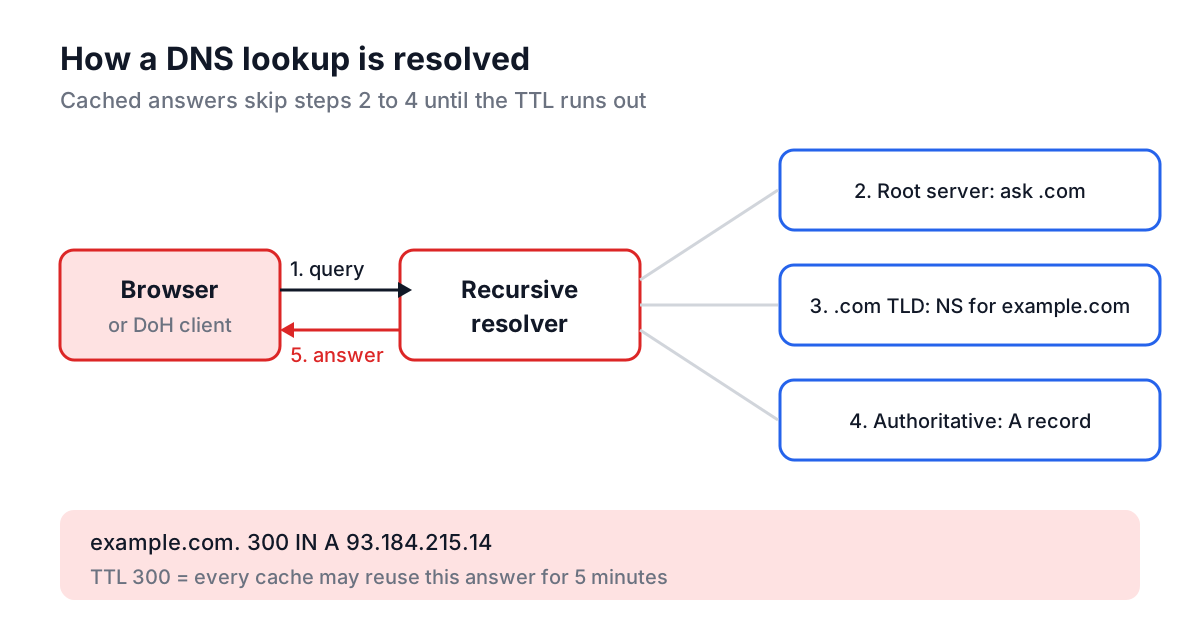
The protocol itself is old. RFC 1034 and RFC 1035 were published in 1987 and still define the record format and the wire protocol. What changed recently is the transport: DNS over HTTPS (RFC 8484, 2018) lets a client send queries inside ordinary HTTPS requests, which is the only way a web page can ask DNS questions at all, since browsers do not expose raw UDP port 53.
The record types you will actually meet
| Type | What it holds | Typical value | Common trap |
|---|---|---|---|
| A | IPv4 address | 93.184.215.14 | Several A records means round-robin, not a mistake |
| AAAA | IPv6 address | 2606:2800:21f:cb07:6820:80da:af6b:8b2c | A stale AAAA breaks IPv6 users only |
| CNAME | Alias to another name | myapp.herokudns.com | Cannot sit at the zone apex next to SOA and NS |
| MX | Mail server and priority | 10 mx1.example.com | Lower number means higher priority |
| TXT | Free text: SPF, DKIM, verification tokens | v=spf1 include:_spf.google.com ~all | Only one SPF record is allowed per name |
| NS | Authoritative name servers | ns1.dnsprovider.net | Registrar NS and zone NS can disagree |
| SOA | Zone metadata: primary server, serial, timers | ns1... hostmaster... 2026102401 ... | The last field is the negative-cache TTL |
| CAA | Which CAs may issue certificates | 0 issue "letsencrypt.org" | Blocks issuance by any CA not listed |
| SRV | Service host and port | 10 5 5060 sip.example.com | Name must include _service._proto |
| PTR | Reverse mapping, IP to name | mail.example.com | Lives under in-addr.arpa, set by the IP owner |
Two of those deserve a closer look. A CNAME says "this name is really that other name", and RFC 1034 forbids it from coexisting with any other record at the same name. That is why you cannot put a plain CNAME on example.com itself (the apex always has SOA and NS records). DNS providers work around it with proprietary "ALIAS", "ANAME" or "CNAME flattening" features that resolve the target server-side and publish the result as A and AAAA records.
The SOA record matters because of its last number, the minimum or negative-caching TTL (RFC 2308). If someone looked up a name before you created it, resolvers cache the "does not exist" answer for that long. A freshly created record that "is not working yet" is often a cached NXDOMAIN, not slow propagation.
Worked example: checking a domain before a cutover
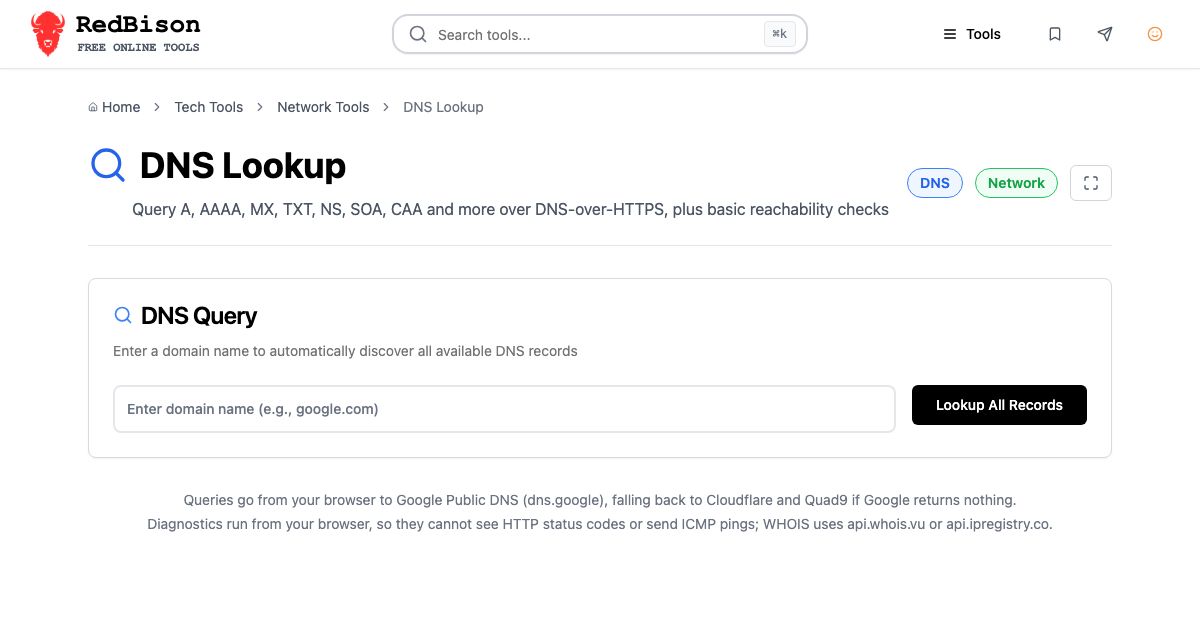
Say you are moving shop.example.com from an old host to a new load balancer, and you want to know what is published right now. Paste https://shop.example.com/cart into the DNS Lookup tool. It strips the scheme and path, so the query runs against shop.example.com, and clicking Lookup All Records asks for A, AAAA, MX, TXT, CNAME, NS, SOA, PTR, SRV and CAA in one go. The tool sends those queries as DNS-over-HTTPS JSON requests to Google Public DNS (dns.google) and falls back to Cloudflare and then Quad9 if Google returns nothing, so the domain name you type is visible to those providers.
A typical result for a hosted storefront looks like this:
CNAME  shop.example.com      TTL 3600   shops.myplatform.com
A      shops.myplatform.com  TTL 60     23.227.38.65
Three things to read from it. First, the CNAME is where you change things; the A record belongs to the platform. Second, the CNAME TTL is 3600 seconds, so after you change it, some resolvers may keep the old target for up to an hour. Third, the A record's TTL of 60 tells you the platform expects to move IPs quickly, which is its problem, not yours.
The standard cutover trick follows directly: a day before the move, lower the CNAME TTL to 300. Wait at least one old TTL (an hour here) so caches pick up the short value. Make the change. Raise the TTL again once traffic has settled.
The same check from a terminal, if you want to compare resolvers:
dig shop.example.com CNAME +noall +answer
dig @1.1.1.1 shop.example.com A +short
dig @8.8.8.8 shop.example.com A +short
 # Ask the authoritative server directly, bypassing every cache
dig @ns1.dnsprovider.net shop.example.com A +norecurse
If the authoritative answer is correct and a public resolver is wrong, you are waiting on a cache. If the authoritative answer is wrong, fix the zone.
Email records: MX, SPF, DKIM and DMARC
Most DNS lookups that are not about websites are about email. An MX lookup tells you where mail for a domain is delivered; the priority number picks the order, lowest first. The TXT records next to it carry the anti-spoofing policy:
example.com.          TXT  "v=spf1 include:_spf.google.com ~all"
_dmarc.example.com.   TXT  "v=DMARC1; p=quarantine; rua=mailto:dmarc@example.com"
s1._domainkey.example.com. TXT "v=DKIM1; k=rsa; p=MIIBIjANBg..."
SPF (RFC 7208) lists who may send mail for the domain and has a hard limit of 10 DNS lookups during evaluation, which is easy to blow through with a few include: entries. DKIM keys live under a selector name you have to know in advance, and DMARC lives at _dmarc. A lookup on the bare domain will show SPF but not DKIM or DMARC, so query those names explicitly.
What the network diagnostics can and cannot tell you
The DNS Lookup page also has a Run Network Diagnostics button. Be clear about what it measures, because a browser is a restricted place to test from. The HTTP and HTTPS checks send a no-cors HEAD request, which means the page learns that the server answered but cannot see the status code; a 500 and a 200 look the same. The plain HTTP check is usually blocked as mixed content when you run it from an HTTPS page, so a failure there says nothing about the server. The timing test makes three HTTPS requests and reports the round trip, which includes TLS setup. It is not an ICMP ping, and a host that drops ping can still pass it. The WHOIS check calls api.whois.vu, with api.ipregistry.co as a fallback, so the domain name goes to those services too.
For certificate details, use the SSL Checker. To see who owns an IP address that a record points to, run it through IP Address Lookup, and the Public IP Address guide explains what that geolocation data is worth.
Common mistakes
- Blaming propagation for a typo. "Propagation" is just caches expiring. If the authoritative server returns the wrong value, no amount of waiting fixes it.
- Forgetting the trailing dot in zone files. In BIND-style zones,
mail.example.comwithout a trailing dot becomesmail.example.com.example.com.. Web dashboards usually hide this, raw zone files do not. - Two SPF records. Publishing a second
v=spf1TXT record instead of merging into the first makes SPF evaluation return a permanent error. - Changing NS at the zone but not at the registrar. The parent zone's delegation decides which servers are asked. Both sets have to agree.
- Leaving a CAA record that excludes your new CA. Certificate issuance fails with a CAA error, often weeks later at renewal time.
- Expecting PTR to follow your A record. Reverse DNS is controlled by whoever owns the IP block, usually your hosting provider, not by your domain's zone.
A short checklist for your next DNS change
Look up the current records first and write down their TTLs. Lower the TTL ahead of time if you can. Make the change at the authoritative provider, then confirm it by asking the authoritative server directly. Check a couple of public resolvers after the old TTL has passed. For mail changes, re-check SPF, DKIM and DMARC as a set, because they fail as a set. The whole loop takes a few minutes in the DNS Lookup tool and dig, and it saves the afternoon of guessing that usually follows a change made blind.