
How to Run a Useful 1:1: Agendas, Questions and Cadence
What an engineering manager should cover in a one-on-one, the questions that get real answers, how often to meet, and the habits that turn 1:1s into status meetings.
· 6 min read
Picture a weekly 1:1 that has been running on autopilot for months. Then, eleven minutes in, an engineer who usually talks about tickets says, almost in passing, that she has stopped reviewing pull requests from one teammate because every review turns into an argument. That one sentence explains a month of slow releases. It only came out because the meeting had a standing slot for "anything bothering you", and because the manager had stopped filling the silence.
That is the whole job of a one-on-one: create a private, regular space where the things that don't come up in standup, planning or code review can come up. Everything below is about protecting that space.
What a 1:1 is for (and what it is not)
A one-on-one is a recurring meeting between a manager and a direct report, owned by the report. Andy Grove made the case for it in High Output Management (1983): the report sets the agenda, the manager listens, and the meeting is the cheapest way for a manager to learn what is really happening on the team.
It is not:
- A status meeting. If you can get the answer from the board, the pull request list or standup, don't spend 1:1 time on it.
- A performance review. Feedback belongs in 1:1s every week, small and specific. The written review should summarise what was already said there.
- Optional. Cancelling tells the report where they rank. Move it if you must, but hold it.
A 30-minute agenda that works
Most weeks, this order covers what matters without feeling like a form:
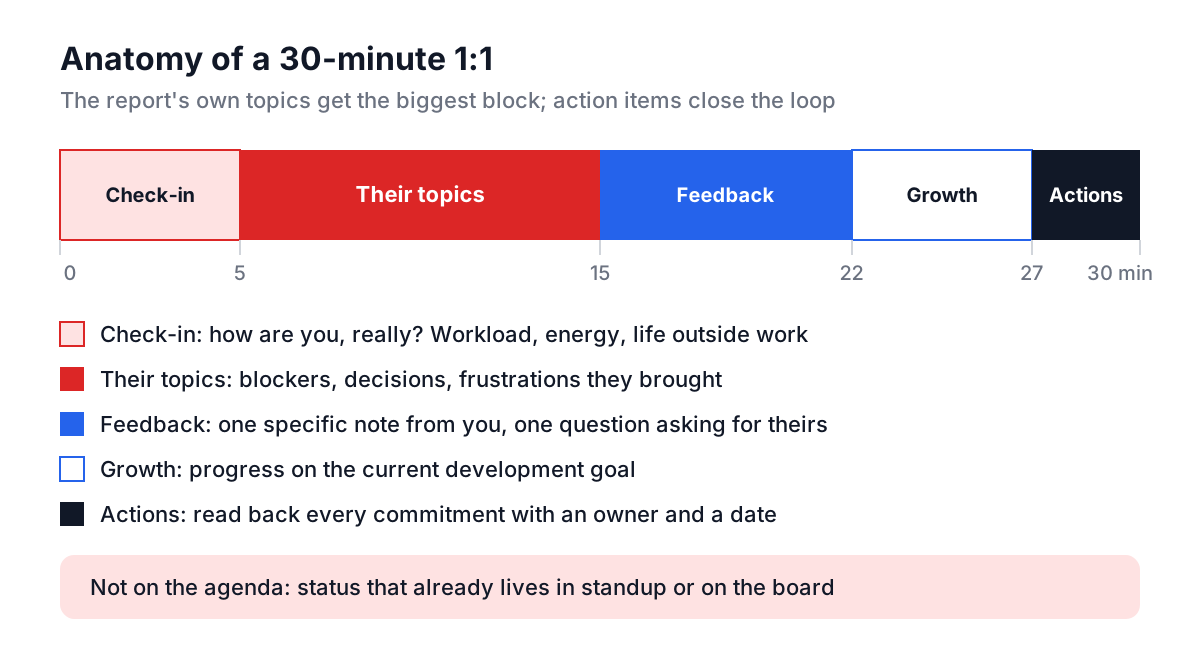
- Check-in (5 minutes). How are you doing, really? Workload, energy, anything outside work they want you to know about. Don't force it; just leave room.
- Their topics (10 minutes). Whatever they brought. Blockers, a decision they want input on, a frustration. If they brought nothing, use the prompts below.
- Feedback both ways (7 minutes). One specific piece of feedback from you, and one question asking for theirs.
- Growth (5 minutes). Progress on their current development goal, or one question about where they want to be in a year.
- Action items (3 minutes). Read back what each of you committed to, with an owner and a date.
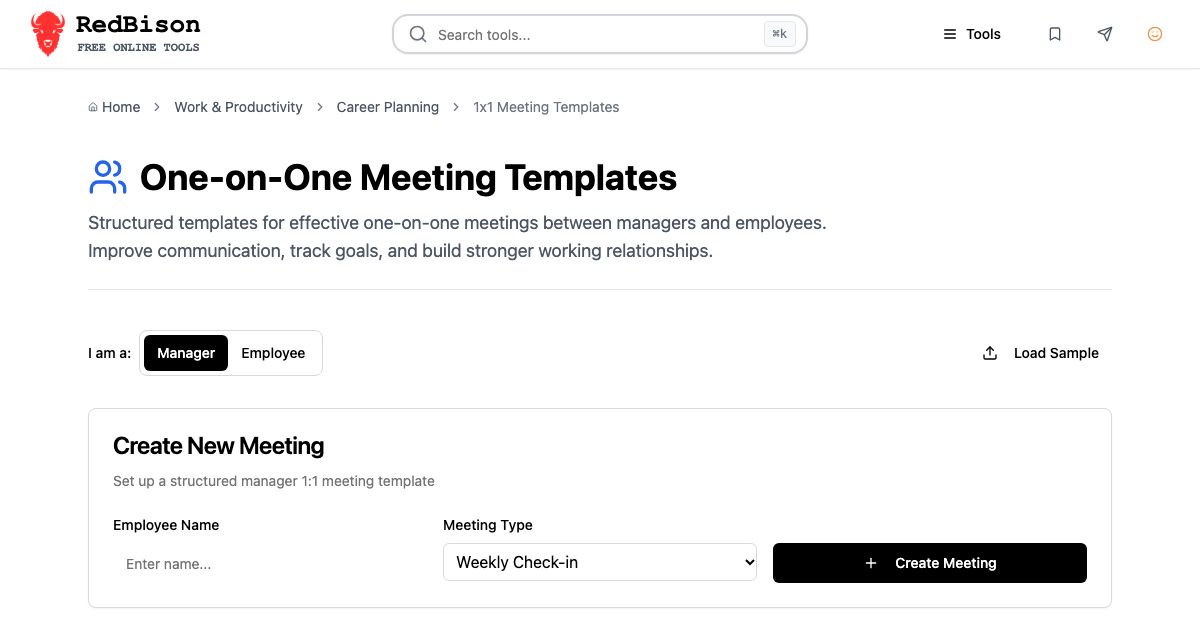
The 1:1 Meeting Templates tool gives you this structure in two versions. The manager weekly agenda is check-in, project updates, career development, feedback and recognition, and looking ahead. The employee version adds a feedback request and a slot for questions about priorities or company direction, so a report can prepare their side.
Questions that get real answers
"Any blockers?" gets "nope" nine times out of ten. Specific, slightly unusual questions work better because they can't be answered on autopilot.
| Goal | Question |
|---|---|
| Workload | "What took more time this week than you expected?" |
| Hidden problems | "If you could change one thing about how the team works, what would it be?" |
| Morale | "On a scale of 1 to 10, how was this week? What would have made it a 7?" |
| Feedback for you | "What is one thing I could do differently that would help you?" |
| Growth | "What did you learn this month that you didn't know last month?" |
| Retention | "What would make you want to leave? Has any of that happened?" |
| Ownership | "What decision are you waiting on someone else to make?" |
Ask one or two per meeting, not all of them. Rotate. The question about leaving sounds alarming, but asked calmly every few months it surfaces problems while they can still be fixed.
For the employee side, the best preparation is three lines written the day before: one thing that is going well, one thing you are stuck on, and one thing you want from your manager. Managers respond far better to "Can you get me thirty minutes with the platform team lead about the migration?" than to "I feel a bit blocked".
Cadence: how often and how long
There is no single right answer, but there are good defaults:
| Situation | Cadence | Length |
|---|---|---|
| New hire, first 90 days | Weekly | 30 to 45 min |
| On a hard or ambiguous project | Weekly | 30 min |
| Experienced, stable work | Every 2 weeks | 45 to 60 min |
| Skip-level (your reports' reports) | Every 4 to 8 weeks | 30 min |
| Someone on a performance plan | Weekly, plus plan check-ins | 30 min |
Grove's guidance was to meet more often with people who are new to their current task and less often with those who have done it for a long time. That still holds. Ask your report which cadence they prefer, and revisit it twice a year.
Put the meeting at a time that respects their focus. A 1:1 dropped into the middle of a four-hour block of deep work costs far more than thirty minutes.
Worked example: a weekly 1:1 in the tool
Here is how a manager might use the template for a weekly 1:1 with an engineer called Priya:
- Open the 1:1 Meeting Templates, choose Manager, type "Priya", leave Meeting Type on Weekly Check-in and click Create Meeting.
- Five topics appear, each with a prompt in its Discussion Notes. Before the meeting, glance at last week's card for open action items.
- During the meeting, click the pencil and overwrite the prompts with what was said. Under "Current project updates": Auth service ready; blocked on schema approval from the architecture group.
- Add action items as they come up: Manager: chase schema approval by Thursday. Priya: write up the token-refresh edge cases for review.
- At the end, read the action items back. Close the editor and download the Markdown (it is saved as
1x1-meeting-Priya-<date>.md) or copy the plain text into your notes system.
Notes stay in your browser's local storage. If you manage several people, the list keeps each meeting separate, newest first.
Common mistakes
Running it as a status update. The quickest test: if you could have done the meeting over Slack, it was a status update. Move status to async and protect the 1:1 for things that need a conversation.
Talking more than half the time. Managers fill silence. Count to five after asking a question. The second answer is usually the true one.
Losing your own action items. Reports notice when "I'll look into it" disappears. Write every commitment down and open the next meeting by reporting on yours first.
Saving feedback for review season. If a written review contains something the employee hears for the first time, the feedback was missed in 1:1s. Small, specific, weekly feedback makes reviews boring, which is the goal.
Writing notes you wouldn't want read aloud. Keep notes factual and neutral, especially on health, family or conflict. Record what was said and agreed, not your interpretation of someone's character.
Cancelling when things are busy. Busy weeks are when 1:1s matter most. Shorten the meeting instead.
When the 1:1 turns into something else
Sometimes a weekly meeting reveals a real performance problem. Keep raising it in the 1:1 first, with dated examples, until both of you agree on what the problem is. A performance review is the place to summarise it, and only if it persists after clear feedback should a formal plan come in; the guide to performance improvement plans covers how to do that fairly.
Other times the conversation is really about long-term direction, and the person would benefit from someone outside their reporting line. That is what a mentor is for, and the mentorship meeting guide explains how to set one up.
Getting started this week
Pick one report. Before your next 1:1, create a meeting in the template tool, choose one question from the table above, and decide in advance that you will speak for less than half the meeting. Write down every action item with an owner. Next week, open by reading those items back. Do that for a month and you will hear things you have been missing.