
Performance Reviews and Development Plans Engineers Can Act On
How to write a review that survives calibration, a self-assessment that helps your manager, and a development plan with goals someone can actually finish.
· 6 min read
Two engineers on the same team get the same rating, "meets expectations". One review says "Dana is a strong engineer and a great team player. Keep it up." The other says "Led the billing migration (12 services, zero customer-facing incidents) and cut p95 checkout latency from 840 ms to 310 ms. Next half: own the design review for the ledger rewrite and present it to the architecture group by 15 March." Only the second one helps anyone: the engineer knows what was valued, the calibration meeting has something to argue about, and the next review has a goal to check.
This guide covers how to write reviews like the second one, as a manager or in your own self-assessment, and how to turn the review into a development plan that gets done.
What a performance review is actually for
A written review does three jobs:
- Record. A summary of what the person delivered and how, for this period, that someone else can read later.
- Calibrate. Evidence that lets other managers check one team's ratings against another's.
- Direct. Two or three agreed goals for the next period.
It is not the place to deliver news. If anything in a review surprises the employee, the feedback was missed in weekly 1:1s. The review should summarise conversations that already happened.
Ratings: what the numbers mean
Most companies use a five-point scale. The Performance Review Templates use this one:
| Rating | Label | What it should mean |
|---|---|---|
| 5 | Exceeds Expectations | Consistently working above the level; others are learning from it |
| 4 | Meets Expectations | Solidly doing the job at this level, with some standout moments |
| 3 | Partially Meets | Meets some expectations; clear gaps in others |
| 2 | Below Expectations | Gaps in most areas; needs a plan |
| 1 | Does Not Meet | Not doing the job as defined |
The tool averages only the sections you rate, so a review with ratings of 4, 3 and one section left at Not Rated shows 3.5, which lands in the Meets Expectations band (3.5 to 4.49). Your company's scale may label the numbers differently. Use its definitions; what matters is that the comments justify the number.
The well-known distortions are worth naming because everyone falls into them:
- Recency bias. The last six weeks crowd out the first ten months. Keep a running list of dated wins and misses.
- Halo and horns. One great (or bad) quality colours every section. Rate sections independently, then check the overall.
- Vague adjectives. "Abrasive", "not strategic", "needs more presence". Without an example these say more about the reviewer than the person.
- Central tendency. Everyone gets a 3 or a 4 because it avoids hard conversations. That is unfair to strong performers and to struggling ones.
Writing comments that hold up
Write each comment as situation, action, result. It is the STAR method from interviewing turned around.
Situation: Checkout latency regressions were triggering weekly pages. Action: Dana profiled the service, found an N+1 query in the pricing client and added a batched endpoint. Result: p95 latency fell from 840 ms to 310 ms and pages stopped.
Three sentences, a number and a date range will carry a rating through calibration far better than a paragraph of praise.
A good order of work: collect examples first, write the comments, then pick the rating. If the comments do not support the number, change the number.
The self-assessment: do your manager's homework
Your manager has several reports, a fuzzy memory of February and their own review to write. Your self-assessment is the best chance to put evidence in front of them.
- Lead with impact, not activity. "Shipped the search rewrite" is activity. "Search rewrite cut zero-result queries from 9% to 3%" is impact.
- Include work they never saw. On-call fixes, mentoring, an interview loop you redesigned.
- Name your own gaps. Pick one or two and say what you have started doing about them. It reads as maturity, and it means the conversation starts from your framing.
- Keep it short. One page of specifics beats four pages of narrative.
In the tool, choose Employee before creating the review. The quarterly self-assessment has sections for goal progress, technical growth, collaboration impact, learning, and areas for improvement.
From review to development plan
A development plan is two or three goals for the next period, each with an action and a way to tell whether it happened. George Doran's SMART criteria (1981) are still the quickest test.
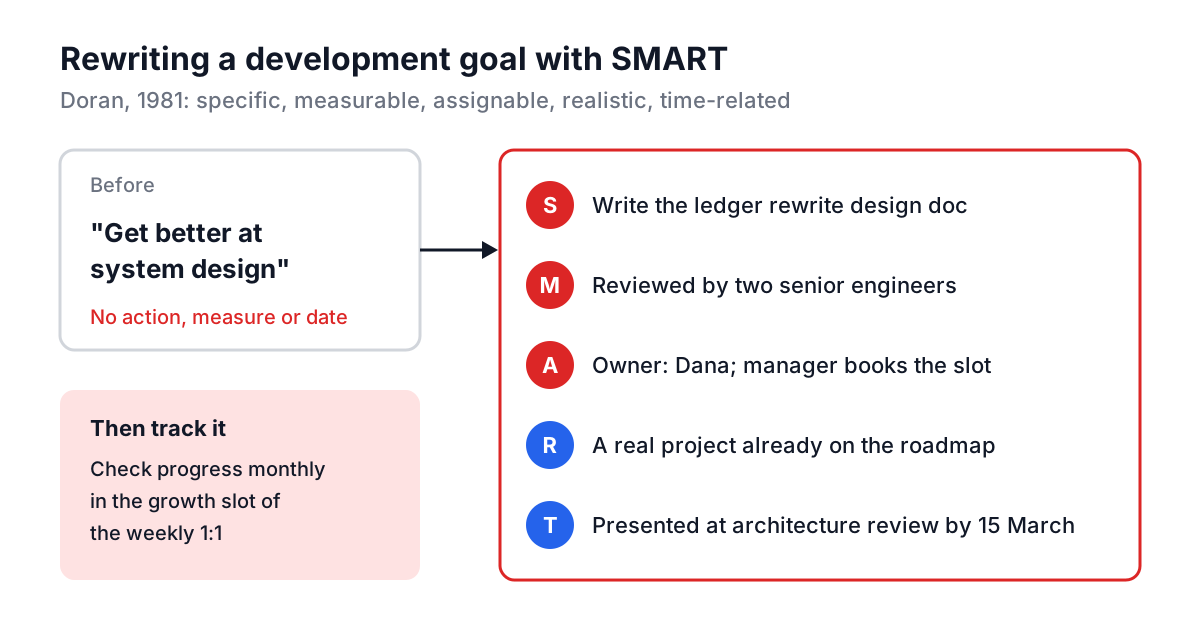
Some practical rules for engineering development goals:
- Tie the goal to real work. "Take a system design course" is fine as an action, but the goal should be using the skill on a project that matters.
- Pick the right kind of growth. Stretch assignments, a mentor, and formal learning all help, but most people learn the most from doing harder work with feedback. Plan the assignment first, then the support.
- Write the manager's half. If the goal needs an introduction, a budget or a slot in the architecture review, that is the manager's action item, with a date.
- Check it monthly. A goal discussed only at review time is a goal nobody worked on. Put it in the growth slot of the 1:1.
Worked example: a quarterly review in the tool
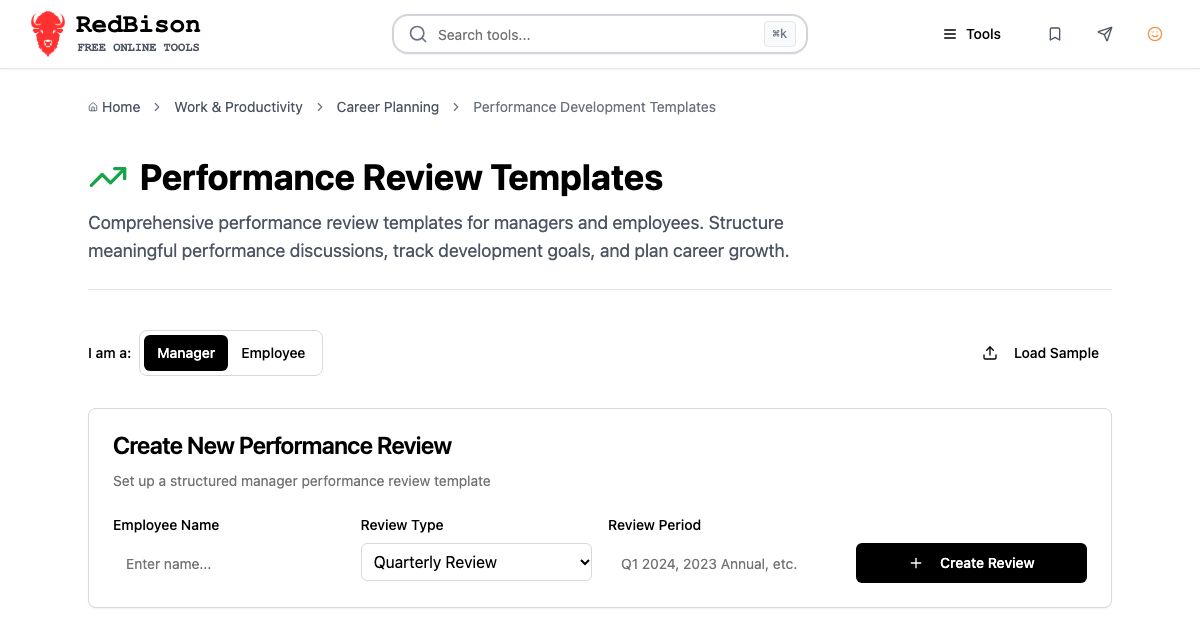
- Open the Performance Review Templates, choose Manager, enter "Dana Kim", pick Quarterly Review, type "Q3 2026" as the period and click Create Review.
- Five sections appear: Goal Achievement, Technical Performance, Collaboration and Communication, Professional Development, and Leadership and Initiative.
- Click the pencil. In Goal Achievement add the achievement "Billing migration: 12 services, zero customer-facing incidents" and write the STAR comment. Rate it 4.
- Leave a section at Not Rated if you don't have evidence yet. It won't drag the average down.
- In Development Areas, add "Design reviews: has not yet led one". In Next Steps at the bottom, add the SMART goal from the diagram and set the Overall Rating.
- Close the editor. The header shows the average and its label; the overall rating and next steps stay visible. Download the Markdown and paste it into your HR system.
Mistakes that make reviews useless
Writing it the night before. You will remember only last month. Keep a short running doc per report and add one line a week.
Hiding the rating in the prose. If the rating is "partially meets", the comments must say clearly which expectations were not met. Kind but vague wording leaves the person surprised later.
Ten development areas. Two or three, each with an action. The rest can wait.
Copying last year's goals. If the same goal appears twice, either it was the wrong goal or nobody supported it. Say which.
Treating the promotion review as a formality. A promotion case needs evidence that the person is already doing the work of the level above. The promotion template's four sections (readiness, leadership, impact, gaps) are the questions a committee will ask.
When a review shows a real gap
Most "partially meets" reviews are fixed with clear goals and a few months of focused support, tracked in 1:1s. If a serious gap persists after clear feedback, a structured plan may be the next step; the guide to performance improvement plans covers how to write one that is fair and specific. For growth outside the manager relationship, pairing someone with a mentor often works better than another course; see structuring a mentorship.
For your next review cycle, start a running doc today, one line per week per person, and draft the review in the template a week before it is due. The comments will practically write themselves.