
SQL Data Types Across MySQL, PostgreSQL, SQL Server, SQLite and Oracle
A side-by-side map of integer, text, date, boolean and auto-increment types in five databases, and the conversions that break schema migrations.
· 6 min read
You copy a CREATE TABLE from a MySQL project into PostgreSQL and it fails on line three: column "is_active" is of type boolean but default expression is of type integer. You fix that, and DATETIME fails. You fix that, and AUTO_INCREMENT fails. Every database speaks SQL, but each one spells its types differently, and some identical names mean different things.
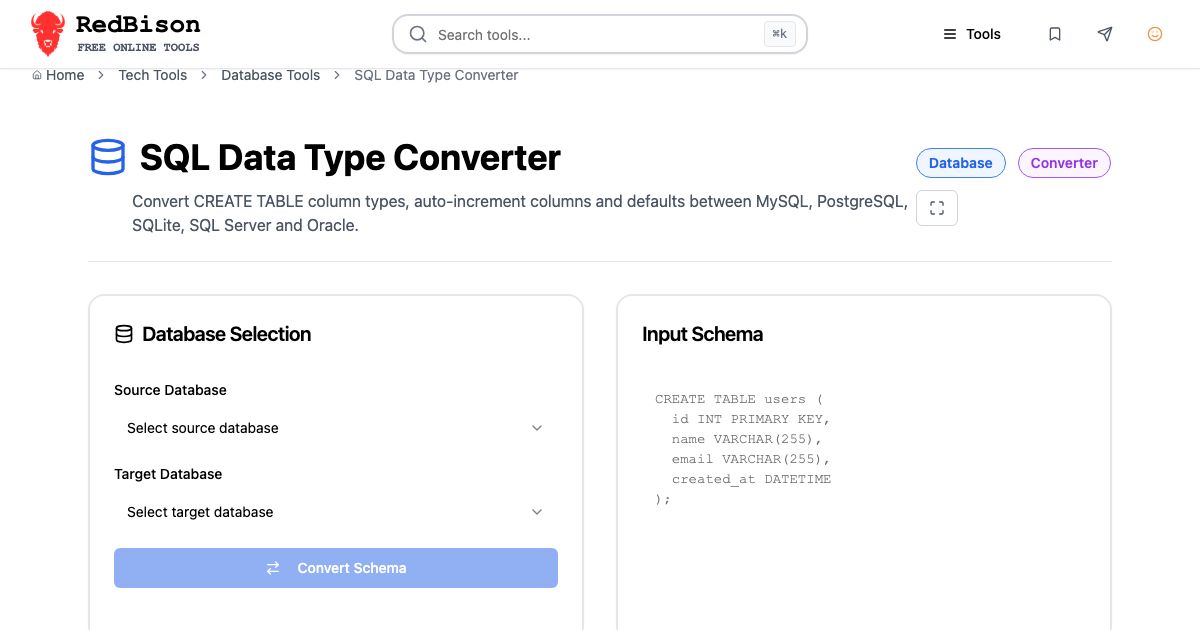
This guide maps the common types across MySQL, PostgreSQL, SQL Server, SQLite and Oracle, and points out the conversions that silently change behaviour. The SQL Data Type Converter applies these mappings to a whole schema at once.
Integers and auto-increment
| Canonical | MySQL | PostgreSQL | SQL Server | SQLite | Oracle |
|---|---|---|---|---|---|
| 1 byte | TINYINT (signed) | SMALLINT | TINYINT (0 to 255) | INTEGER | NUMBER(3) |
| 2 bytes | SMALLINT | SMALLINT | SMALLINT | INTEGER | NUMBER(5) |
| 4 bytes | INT | INTEGER | INT | INTEGER | NUMBER(10) |
| 8 bytes | BIGINT | BIGINT | BIGINT | INTEGER | NUMBER(19) |
| Auto-increment | AUTO_INCREMENT | GENERATED BY DEFAULT AS IDENTITY | IDENTITY(1,1) | INTEGER PRIMARY KEY | GENERATED BY DEFAULT AS IDENTITY |
Three traps live in this table.
Unsigned integers exist only in MySQL. INT UNSIGNED goes up to 4,294,967,295. A signed 4-byte INTEGER stops at 2,147,483,647, so a straight rename can make existing ids too large to load. The safe conversion is one size up: INT UNSIGNED to BIGINT.
TINYINT disagrees about its sign. MySQL's is -128 to 127; SQL Server's is 0 to 255. Moving MySQL TINYINT to SQL Server TINYINT breaks negative values.
Auto-increment syntax changed over time. PostgreSQL's SERIAL is shorthand that creates a sequence; since PostgreSQL 10 the SQL-standard identity column is preferred. Oracle gained identity columns in 12c; before that you wrote a sequence and a trigger. SQLite is the odd one: only a column declared exactly INTEGER PRIMARY KEY becomes an alias for the internal rowid and fills itself in. BIGINT PRIMARY KEY does not. Adding AUTOINCREMENT only stops ids from being reused after deletes.
BY DEFAULT rather than ALWAYS matters during a migration: it lets you insert the existing ids explicitly. Afterwards, move the sequence past the highest id, or the next insert collides.
Decimals and floating point
| Canonical | MySQL | PostgreSQL | SQL Server | SQLite | Oracle |
|---|---|---|---|---|---|
| Exact decimal | DECIMAL(p,s) | NUMERIC(p,s) | DECIMAL(p,s) | NUMERIC | NUMBER(p,s) |
| 4-byte float | FLOAT | REAL | REAL | REAL (8 bytes) | BINARY_FLOAT |
| 8-byte float | DOUBLE | DOUBLE PRECISION | FLOAT | REAL | BINARY_DOUBLE |
The word FLOAT is the problem. In MySQL it is a 4-byte single-precision number. In SQL Server and PostgreSQL, a bare FLOAT means 8-byte double precision, and only FLOAT(n) with n of 24 or less is single precision. REAL is 4 bytes in PostgreSQL and SQL Server, 8 bytes in SQLite, and in MySQL a synonym for DOUBLE unless the REAL_AS_FLOAT mode is on. A converter that maps names without knowing the source database gets precision wrong in one direction or the other.
For money, use exact decimals everywhere. SQLite has no fixed-point storage; a NUMERIC column stores values as integers or 8-byte floats, so keep cents in an INTEGER there if exactness matters.
Text
| Canonical | MySQL | PostgreSQL | SQL Server | SQLite | Oracle |
|---|---|---|---|---|---|
| Bounded text | VARCHAR(n) | VARCHAR(n) | NVARCHAR(n), n up to 4,000 | TEXT | VARCHAR2(n), up to 4,000 bytes |
| Long text | TEXT / LONGTEXT | TEXT | NVARCHAR(MAX) | TEXT | CLOB |
PostgreSQL's TEXT and VARCHAR perform identically, so many teams use TEXT with a CHECK on length when they need a limit. SQL Server's VARCHAR stores non-Unicode text unless you use a UTF-8 collation (SQL Server 2019 and later), so NVARCHAR is the safe default for text coming from MySQL's utf8mb4. Its old TEXT and NTEXT types are deprecated. Oracle's VARCHAR2 limit is 4,000 bytes unless the database runs with MAX_STRING_SIZE=EXTENDED; longer columns need CLOB. SQLite ignores the length in VARCHAR(50) entirely and will store a 10 MB string in it.
Dates and times
| Canonical | MySQL | PostgreSQL | SQL Server | SQLite | Oracle |
|---|---|---|---|---|---|
| Date only | DATE | DATE | DATE | TEXT | DATE (has a time) |
| Date and time | DATETIME | TIMESTAMP | DATETIME2 | TEXT | TIMESTAMP |
| Instant with zone | TIMESTAMP | TIMESTAMPTZ | DATETIMEOFFSET | TEXT | TIMESTAMP WITH TIME ZONE |
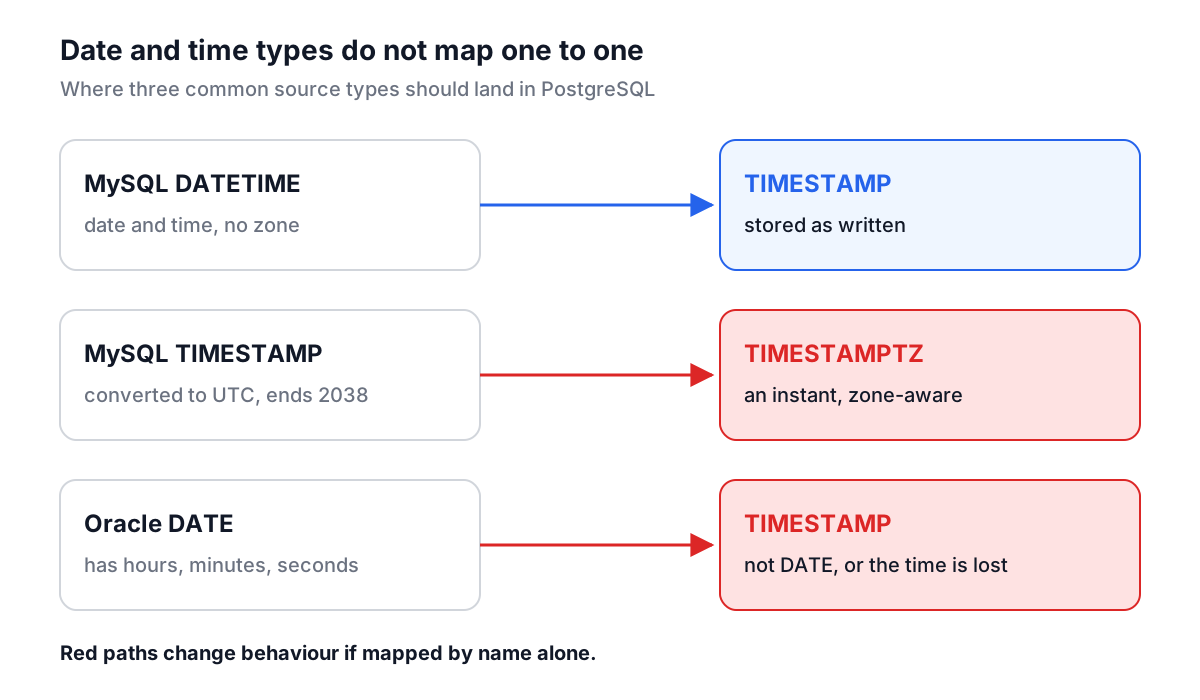
MySQL has two date-time types and they are not interchangeable. DATETIME stores what you give it. TIMESTAMP converts from the session time zone to UTC on write and back on read, and its range ends on 19 January 2038. That makes MySQL TIMESTAMP behave like PostgreSQL's TIMESTAMPTZ, which is how the converter maps it.
Oracle's DATE includes hours, minutes and seconds. Mapping it to PostgreSQL DATE drops the time silently; it belongs in TIMESTAMP. Oracle has no TIME type at all. SQLite stores dates as text (ISO 8601), real numbers (Julian days) or integers (Unix time), and its date functions understand all three.
Booleans, JSON and UUIDs
| Canonical | MySQL | PostgreSQL | SQL Server | SQLite | Oracle |
|---|---|---|---|---|---|
| Boolean | BOOLEAN (TINYINT(1)) | BOOLEAN | BIT | INTEGER | NUMBER(1), BOOLEAN in 23ai |
| JSON | JSON | JSONB | NVARCHAR(MAX) | TEXT | CLOB (JSON in 21c) |
| UUID | CHAR(36) | UUID | UNIQUEIDENTIFIER | TEXT | VARCHAR2(36) |
PostgreSQL's boolean is strict: DEFAULT 1 is an error, it has to be DEFAULT TRUE. Going the other way, SQL Server and older Oracle have no TRUE literal, so DEFAULT TRUE has to become DEFAULT 1. MySQL accepts both because its boolean is really a small integer.
A worked conversion
Paste this MySQL table into the SQL Data Type Converter with PostgreSQL as the target:
CREATE TABLE `users` (
  `id` INT UNSIGNED NOT NULL AUTO_INCREMENT,
  `is_active` TINYINT(1) NOT NULL DEFAULT 1,
  `status` ENUM('active','banned') NOT NULL DEFAULT 'active',
  `created_at` DATETIME NOT NULL DEFAULT CURRENT_TIMESTAMP,
  `updated_at` TIMESTAMP NULL DEFAULT CURRENT_TIMESTAMP ON UPDATE CURRENT_TIMESTAMP,
  PRIMARY KEY (`id`)
) ENGINE=InnoDB;
The output:
-- Note: ENUM('active','banned') became VARCHAR(255) with a CHECK constraint.
-- Note: "updated_at": ON UPDATE CURRENT_TIMESTAMP is MySQL-only; use a trigger or set the value in application code.
-- Note: Table options "ENGINE=InnoDB" were removed (MySQL-only).

CREATE TABLE "users" (
  "id" BIGINT GENERATED BY DEFAULT AS IDENTITY NOT NULL,
  "is_active" BOOLEAN NOT NULL DEFAULT TRUE,
  "status" VARCHAR(255) NOT NULL DEFAULT 'active' CHECK ("status" IN ('active','banned')),
  "created_at" TIMESTAMP NOT NULL DEFAULT CURRENT_TIMESTAMP,
  "updated_at" TIMESTAMPTZ NULL DEFAULT CURRENT_TIMESTAMP,
  PRIMARY KEY ("id")
);
Every line changed for a reason from the tables above: the unsigned id widened, TINYINT(1) became a real boolean with a TRUE default, the two MySQL date-time types went to different PostgreSQL types, and backticks became double quotes. The notes list what still needs a human. ON UPDATE CURRENT_TIMESTAMP has no PostgreSQL equivalent, so it needs a BEFORE UPDATE trigger or an application-side update. The ENUM could also be a PostgreSQL enum type or a lookup table; the CHECK constraint is simply the most portable default.
Migration mistakes to avoid
Converting types but not data. The converter rewrites CREATE TABLE statements. Moving rows is a job for a migration tool such as pgloader, AWS DMS or SQL Server Migration Assistant, followed by row counts and spot checks.
Forgetting sequences. After loading rows with explicit ids, every identity or serial column needs its sequence moved past the highest id.
Assuming quoted identifiers are harmless. "Users" in PostgreSQL is case-sensitive and different from users. If the MySQL schema used mixed-case names, decide on lowercase names before converting.
Skipping the procedural code. Views, triggers and stored procedures do not convert mechanically. Budget time to rewrite them.
Convert the schema, read every note at the top of the output, and load a sample of real data before you trust it. If you are sketching a new schema rather than porting one, the schema design guide covers keys and relationships, and the backup guide covers taking a dump of the source before you start.