
We Open-Sourced Top 100 Developer Tools You Can Audit and Self-Host
The top 100 RedBison developer tools are now MIT-licensed on GitHub: the same code the site runs, with 2,100+ tests, a local MCP server, and docs for self-hosting.
By Redbison Dev · · 6 min read

Every developer has done it: you need to decode a JWT or convert a cURL command at 11pm, you search, you click the first converter that looks reasonable, and you paste something you probably shouldn't into a page you know nothing about. Most of those tools are fine. Some are not, and the uncomfortable truth is that a malicious one looks exactly like an honest one. The page that quietly posts your input somewhere renders the same pretty result box as the page that doesn't.
We've now done something about the half of that problem we can control: the top 100 RedBison developer tools are open source, MIT-licensed, at github.com/redbison-dev/redbison-tools. It's the same code this site runs, not a demo and not a lite version, and you can read it, audit it, and run it yourself.
Why we did this
RedBison's promise has always been that tools run in your browser and your data stays on your device. We say it on every page, and our public methodology explains how we test for correctness. But "trust us" is a weak argument to make to a security team, and honestly, it should be. If your organization's policy says don't paste secrets into unknown websites, and it should say that, then no amount of reassuring copy on our part changes what you're allowed to do.
Source code does. With the repo public, the claim "nothing you type leaves your machine" stops being marketing and becomes something a reviewer can verify in an afternoon: the analytics module is a file of empty functions, there is no backend to call, and the build output is a static site you can serve from your own infrastructure. If you find something that contradicts that, you can point at the line. We'd genuinely want you to.
There's a second reason, less about policy and more about craft. These tools encode a lot of careful work: exact NIST conversion factors, RFC test vectors, cron semantics, IEEE 754 edge cases. Keeping that work locked inside one website felt like a waste. Open source lets a fix benefit everyone, including people who will never visit redbison.dev.
What's in the repo
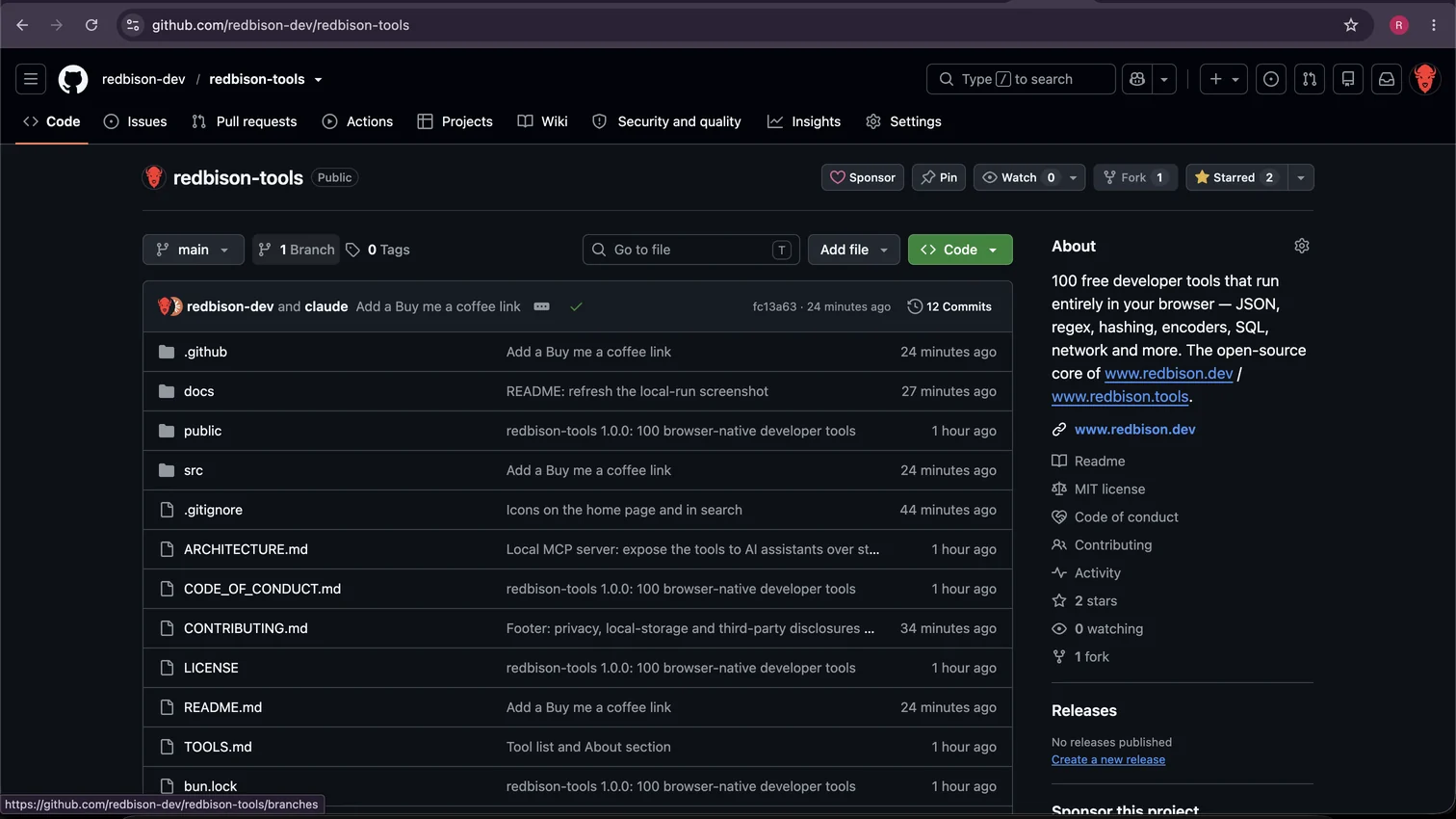
The repo is a standalone React + TypeScript app with a deliberately boring shape: Vite, Tailwind, one component per tool, pure logic separated from UI so it can be tested hard:
- 100 tools across text processing, diff, code formatters, data conversion, security, SQL, GraphQL, networking, data formats, time, and web/devops. TOOLS.md lists every one with a link to its source file and its hosted page.
- 2,100+ tests, including an integration suite that mounts all 100 tool routes and fails if any page stops rendering, with coverage floors enforced in CI. The testing philosophy is the one from how accurate are RedBison's tools.
- A local MCP server, so AI assistants can use the tools too. It's about 200 lines of dependency-free stdio JSON-RPC exposing 14 of the tools (hashing, regex testing, JSON/YAML/CSV conversion, epoch and base conversion, cron explanations and more), and its README documents every tool and every client config. If you'd rather not run anything, our hosted MCP server at
https://mcp.redbison.devhas 90+ tools; we wrote up how to connect any client to an MCP server and how to build one yourself. - Docs that treat contributors as adults: an architecture guide that maps the code and shows how to add a tool, a contribution policy, and a code of conduct.
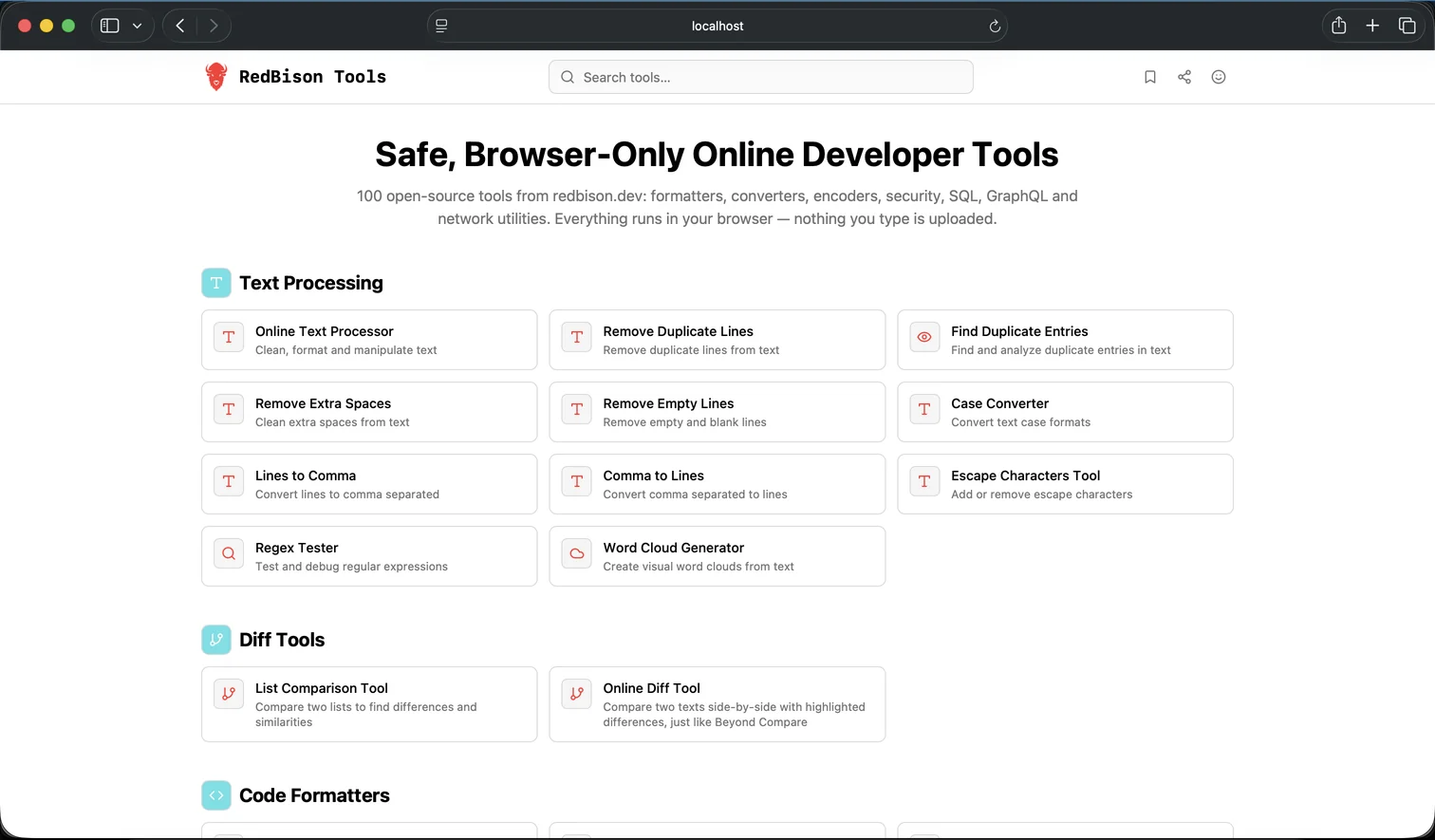
Running it is two commands, bun install then bun run dev, and hosting it is "put the dist/ folder anywhere that serves static files": GitHub Pages, an S3 bucket, an internal server behind your VPN. No database, no environment variables, no keys.
The philosophy, stated plainly
A few beliefs shaped how we built this, and they're worth writing down because they're also the contribution policy:
Correctness is the product. A converter that's 99% right is a bug generator with good UX. Every tool that calculates or converts uses established, exact definitions with the source named, and a fix without a regression test isn't done. This is why the repo ships its tests rather than treating them as internal.
Browser-only is a feature, not a limitation. No backends, no telemetry, no accounts. The few network tools that exist call public APIs they name in their own UI. This constraint is what makes the privacy promise checkable: there's simply nothing else the code could do with your data.
Boring code is auditable code. One component per tool, pure functions in src/lib/tools, standard shadcn/ui primitives. A reviewer shouldn't need to understand our cleverness to verify our claims.
Contributing
If you find a tool that gives a wrong answer, that's the highest-priority issue we can receive: open one with the input, what you got, and what you expected. Pull requests are welcome too, from typo fixes to new tools; the contributing guide covers the ground rules, and there's no CLA to sign: MIT in, MIT out. Fixes merged in the open-source repo get synced back into the hosted site, so a correction helps both.
And if you'd rather just use the tools, the hosted version right here on redbison.dev remains free, ad-free and sign-up-free, with 600+ tools, the 100 in the repo plus the calculators, converters and guides that go beyond the developer core. Fork it, host it, audit it, or just bookmark it. That's the point of the license.
Frequently asked questions
Can I self-host RedBison's developer tools?
Yes. The redbison-tools repository builds to a static site with no database, environment variables or keys, so the dist folder can be served from GitHub Pages, an S3 bucket, any static host or an internal server behind a firewall. Running it locally takes two commands: bun install, then bun run dev.
What license does the redbison-tools repository use?
MIT. Anyone may use, modify, host and redistribute the tools, commercially or not, and contributions are accepted under the same terms with no CLA. The RedBison name and logo identify the upstream project, so substantially modified forks are asked to use their own name.
Does the open-source repo include an MCP server?
Yes. It ships a local MCP server, roughly 200 lines of dependency-free JSON-RPC over stdio, that exposes 14 tools such as hashing, regex testing, JSON and YAML conversion, epoch conversion and cron explanations to Claude, Cursor and other MCP clients. A hosted server with 90+ tools is available at mcp.redbison.dev for those who prefer zero setup.
How do I report a bug in redbison-tools?
Open a GitHub issue on the redbison-tools repository with the tool name, the exact input, what the tool returned and what was expected. Wrong-answer reports are treated as the highest-priority issues, and every confirmed bug gets a regression test so it stays fixed. Security-sensitive findings should use GitHub's private vulnerability reporting.
Why did RedBison open-source its developer tools?
So the privacy claim is verifiable instead of taken on trust. Developer utilities handle tokens, keys and customer data, and a malicious web tool looks identical to an honest one. With the source public, a reviewer can confirm the tools run client-side with no telemetry, and organizations can host an audited copy on their own infrastructure.
Sources and further reading
- redbison-tools, GitHub. The repository this post announces: all 100 tools, their tests, the MCP server and the docs.
- The MIT License, Open Source Initiative. The license the repository ships under, including the inbound-equals-outbound terms for contributions.
- Model Context Protocol, Anthropic. The open protocol the repo's local MCP server implements so AI assistants can call the tools.
- Secure Software Development Framework (SSDF), National Institute of Standards and Technology. Background on verifying the provenance and integrity of third-party software rather than trusting it blindly.